Free Distressed American Flag Deer SVG – Hunting Design for Cricut & Silhouette (Commercial Use)
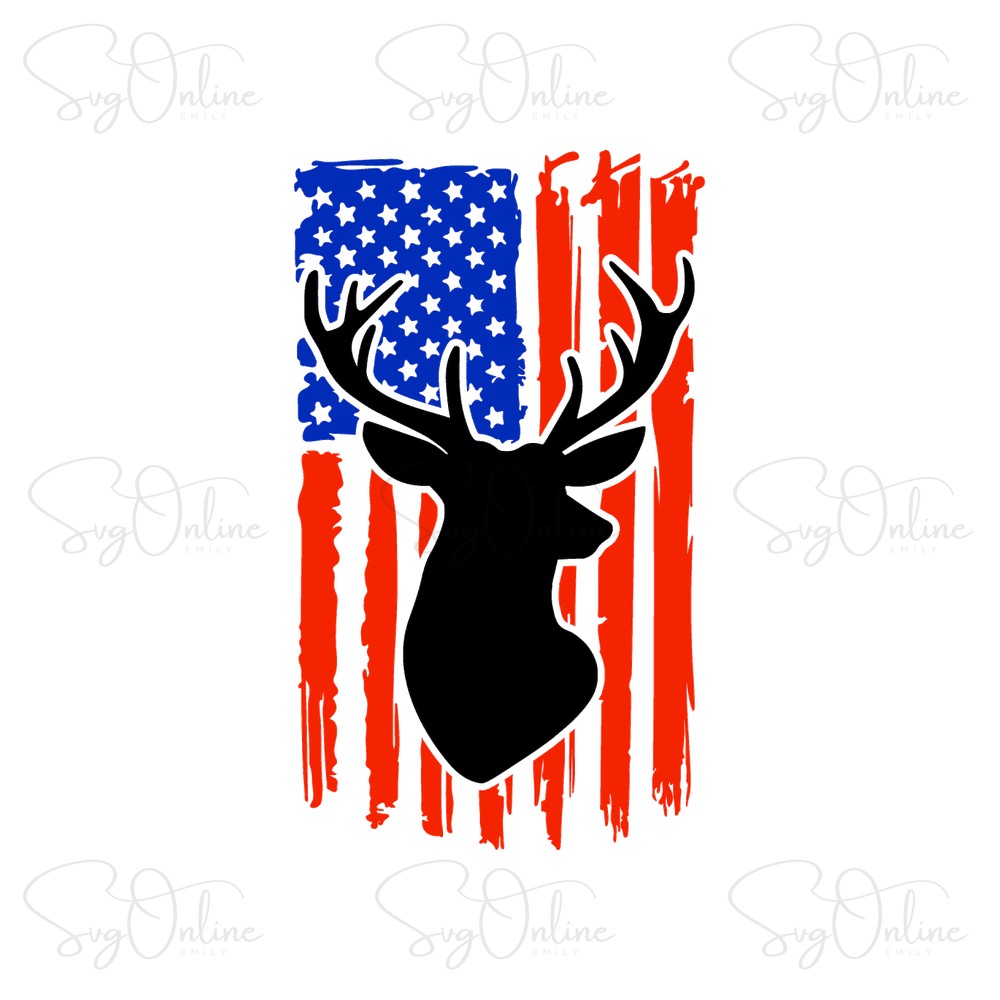
Calling all hunting enthusiasts and patriotic crafters! This Free Distressed American Flag Deer SVG is yours to download today—no strings attached. This premium-quality cut file combines the rugged appeal of deer hunting with the timeless symbolism of the American flag, all wrapped up in a beautifully distressed vintage style. Compatible with Cricut, Silhouette, and all major cutting machines, this design is available in multiple formats including SVG, PNG, and DXF.
Whether you’re creating apparel for deer season, personalizing hunting gear, or crafting patriotic gifts for the outdoorsman in your life, this versatile vector file delivers professional results every time.
Why This Distressed American Flag Deer SVG Stands Out
Not all SVG files are created equal, and as experienced digital crafters, we know the difference between a rushed export and a properly optimized cut file. This Distressed American Flag Deer SVG has been meticulously cleaned and optimized for cutting:
- Clean node paths – No unnecessary anchor points that cause your blade to hesitate or create jagged edges
- Optimized for weeding – The distressed texture is intentionally designed with strategic gaps, making vinyl removal straightforward even for beginners
- Layered vector structure – The flag elements and deer silhouette are properly grouped, giving you flexibility to separate colors or simplify the design
- Scalable without quality loss – Resize from a small decal to a massive back print without pixelation or distortion
The distressed effect isn’t just aesthetic—it’s functional. The weathered look hides minor imperfections in application and gives your finished project that authentic, worn-in appearance that’s so popular in hunting and outdoor apparel. When cutting with HTV or adhesive vinyl, you’ll appreciate how the intentional texture breaks reduce weeding time compared to solid filled designs.
Project Inspiration for Hunters and Patriots
This versatile SVG opens up countless crafting possibilities. Here are some tested project ideas from our crafting community:
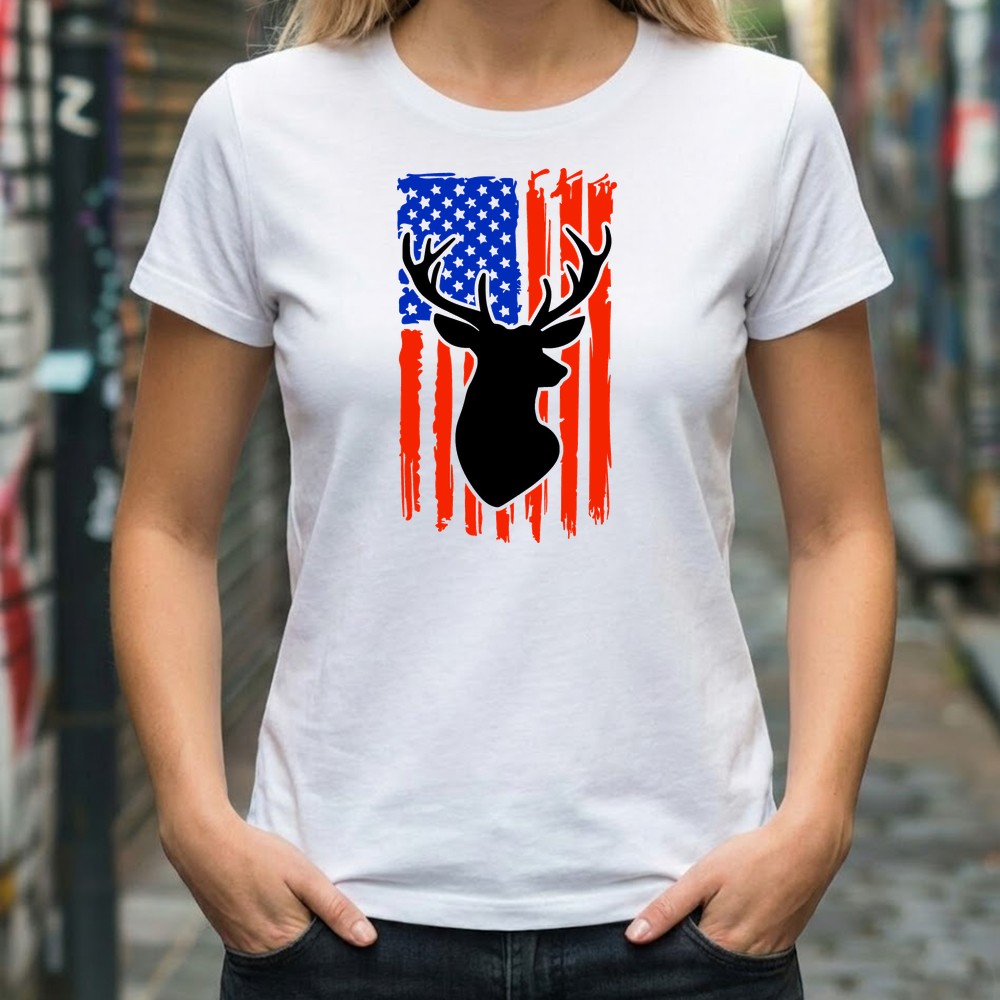
- Hunting Season Apparel – Create custom t-shirts, hoodies, or long-sleeve hunting shirts for opening day. The distressed flag design looks incredible on heather or camo-colored fabrics.
- Truck Decals & Tailgate Graphics – Scale this design large for outdoor vinyl applications. Perfect for pickup trucks, deer blinds, or hunting cabin windows.
- Personalized Hunting Gifts – Add this design to insulated tumblers, coolers, or ammo boxes for the deer hunter in your life. Works beautifully with both permanent vinyl and sublimation printing.
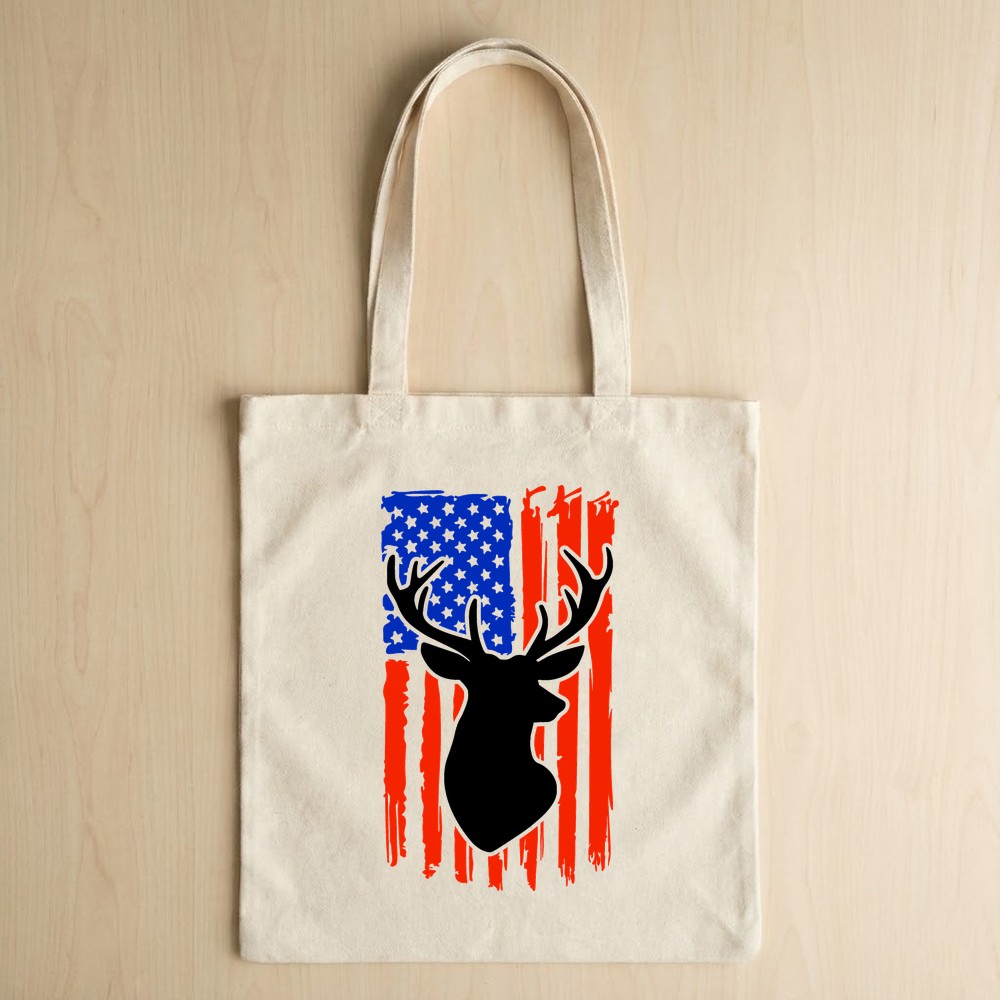
- Patriotic Home Décor – Transfer onto wood signs, canvas tote bags, or throw pillows for rustic cabin décor that celebrates both wildlife and American pride.
- Youth Hunting Gear – Downsize for kids’ hunting gear—think junior hunting vests, youth camo caps, or beginner archery equipment.
Pro tip: When applying to textured surfaces like canvas or wood, we recommend using a strong-grip transfer tape and burnishing thoroughly. The multiple elements in this design benefit from careful application pressure.
Expanding Your Design Library
While this free distressed flag deer design offers exceptional quality, we know serious crafters are always building their digital libraries. If you’re looking to explore more exclusive freebies with similar premium styling, consider checking out curated collections that specialize in hunting, wildlife, and patriotic themes. Building a diverse folder of go-to designs means you’re always ready when inspiration strikes or a custom order comes in.
Technical Specifications & File Formats
Your free download includes a complete package optimized for various crafting applications:
- SVG File – Perfect for Cricut Design Space, Silhouette Designer Edition, and other cutting software that supports vector imports. Fully editable and scalable.
- PNG File – High-resolution transparent background image (300 DPI) ideal for sublimation printing, printable heat transfer, or digital design mockups.
- DXF File – Specifically formatted for Silhouette Basic Edition users and other programs that require this vector format.
All files are delivered in a convenient ZIP archive. Simply download, extract, and import into your preferred design software. No special plugins or conversions required.
License & Usage Rights
This Distressed American Flag Deer SVG is free for both personal and commercial use. You have full permission to:
- Create unlimited physical products for personal use or to sell
- Use in small business applications including Etsy shops, craft fairs, and local markets
- Incorporate into client projects and custom orders
- Print on demand applications (t-shirts, mugs, posters, etc.)
Restrictions: You may not resell, redistribute, or share the digital file itself. This means no including it in design bundles, uploading to file-sharing sites, or claiming it as your own creation. The license covers finished physical products only, not the digital source files.
Frequently Asked Questions
Is this Distressed American Flag Deer SVG easy to weed for beginners?
Yes! While the distressed texture might look complex, it’s actually beginner-friendly. The weathered effect creates natural break points in the vinyl, making weeding easier than solid designs. Start by removing the larger negative spaces first, then use a weeding tool for the detailed areas. The deer silhouette portion is especially straightforward. If you’re new to distressed designs, practice on a small 4×4 inch test cut first.
Can I use this for Print on Demand services like Amazon Merch or Redbubble?
Absolutely! This file is licensed for commercial use, including print-on-demand platforms. The high-resolution PNG is perfect for uploading to POD services. Just remember that you’re selling the finished printed product (t-shirts, mugs, etc.), not the digital file itself. Always check individual platform guidelines, but standard commercial licensing covers most POD applications.
What’s the best material setting for cutting this design with Cricut?
For standard adhesive vinyl, use the “Vinyl” setting in Cricut Design Space. For heat transfer vinyl (HTV), select “Everyday Iron-On” or “Iron-On” depending on your material brand. Because of the distressed elements, we recommend setting your pressure to default rather than “More”—too much pressure can cause small details to tear during weeding. Always do a test cut first, especially if you’re scaling below 4 inches in width.
Instant download • No signup required • Free for commercial use