Free Bee on Flowers SVG – Adorable Cut File for Cricut & Silhouette (Commercial Use)
Welcome to your free Bee on Flowers SVG download! This charming design features a sweet bee nestled among beautiful blooms, perfect for spring crafts, nursery decor, and nature-themed projects. This completely free cut file comes in multiple formats (SVG, PNG, DXF) and is fully compatible with Cricut Design Space, Silhouette Studio, and all major cutting machines. Best of all? It’s free for both personal and commercial use—no strings attached!
Whether you’re creating baby shower gifts, gardening-themed apparel, or teacher appreciation crafts, this bee and flowers design brings instant sweetness to any project. Let’s dive into what makes this file perfect for your crafting needs.
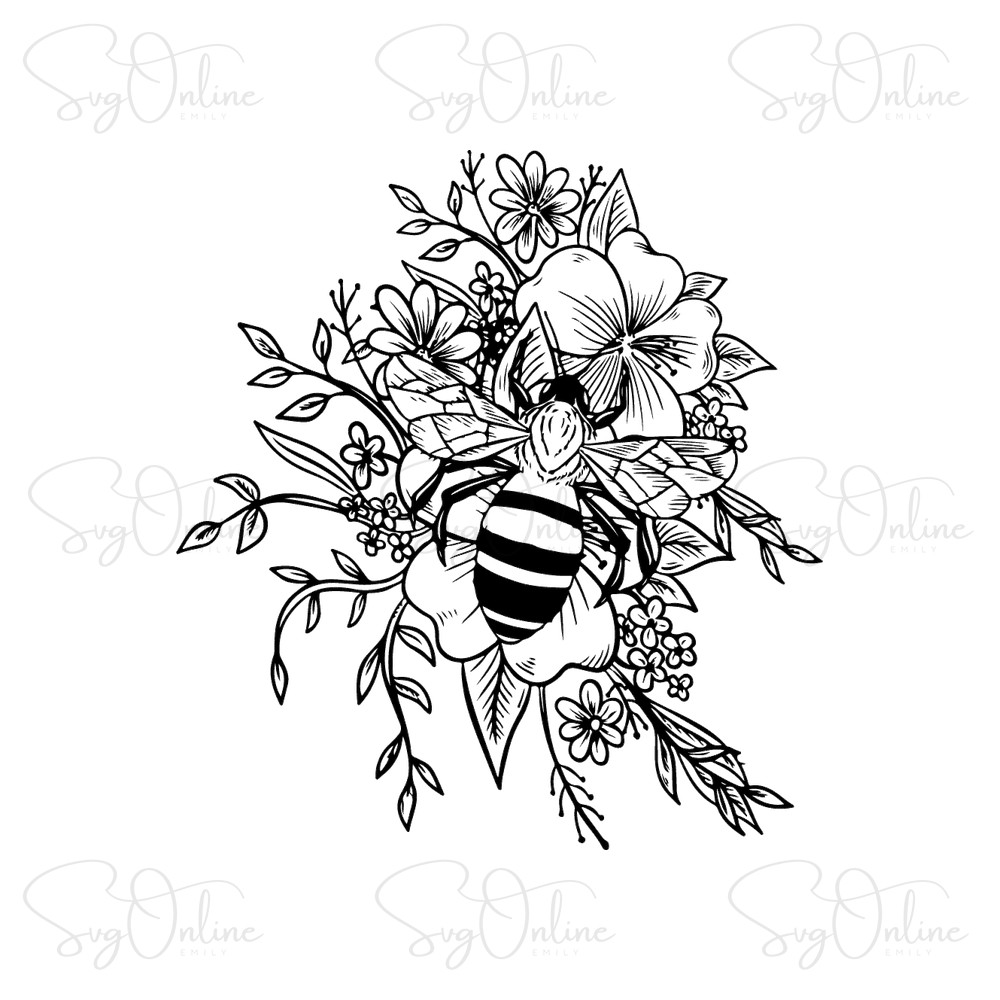
Why This Bee on Flowers SVG Stands Out
As an experienced digital crafter, I know the difference between a basic SVG and a professionally optimized cut file. This bee on flowers design has been carefully crafted with clean nodes and smooth vector paths, ensuring your cutting machine produces crisp, precise cuts every single time.
The design features:
- Optimized cutting paths – No unnecessary anchor points that can cause jagged edges or cutting errors
- Easy-to-weed elements – Each petal and wing is sized perfectly for stress-free weeding, even for beginners
- Layered vector structure – Separate the bee from the flowers for multi-color vinyl projects or keep them together for single-color simplicity
- Balanced detail – Intricate enough to look professional, simple enough to cut cleanly on standard vinyl and HTV
This file cuts beautifully on adhesive vinyl, heat transfer vinyl, cardstock, and even delicate materials like glitter HTV. The bee’s wings and body have been tested extensively to avoid tiny floating pieces that can be lost during weeding—a common frustration with poorly designed files.

Project Inspiration: Creative Ways to Use This Design
This bee on flowers SVG is incredibly versatile. Here are some tested project ideas from our crafting community:
- Baby & Toddler Apparel – Create an adorable “Bee-day Girl” birthday onesie or a sweet spring romper. The gentle, cartoon-style bee is perfect for children’s clothing and won’t be too detailed for small garment sizes.
- Nursery Wall Decor – Cut this design from removable vinyl to create a charming nature-themed nursery accent. Pair it with other garden creatures for a complete woodland theme.
- Teacher Gifts & Classroom Decor – Perfect for “Bee-lieve in Yourself” motivational posters or end-of-year teacher appreciation tote bags. Teachers love bee-themed items!
- Garden Party Decorations – Use this SVG for cupcake toppers, banner pieces, or custom garden party invitations. The flower elements make it ideal for spring and summer celebrations.
- Reusable Tote Bags – Apply to canvas totes using heat transfer vinyl for eco-friendly shopping bags or farmers market carryalls with a natural, garden-fresh vibe.

Need More Nature-Themed Designs?
If you’re working on a larger collection or want to expand your library of garden and nature SVGs, I recommend checking out additional resources. For crafters looking for more variety in premium-quality freebies, you can explore high-quality design resources that complement this bee theme beautifully—think butterflies, ladybugs, and floral elements that pair perfectly with this design.
Technical Specifications & What’s Included
When you download this free bee on flowers SVG file, you’ll receive a ZIP archive containing:
- SVG File – Scalable Vector Graphic, perfect for Cricut Design Space, Cricut Joy, and any software that supports vector editing. Resize without quality loss.
- PNG File – High-resolution transparent background image (300 DPI), ideal for sublimation printing, print-on-demand platforms like Printful or Printify, and digital designs.
- DXF File – Compatible with Silhouette Studio Basic Edition (the free version), as well as older cutting machine models that don’t support SVG.
All files are tested and verified to work with:
- Cricut Maker, Maker 3, Explore Air 2, Joy
- Silhouette Cameo 4, Cameo 3, Portrait, Curio
- Brother ScanNCut
- Sizzix, Pazzles, and other major cutting machines
License & Usage Rights
This bee on flowers SVG is free for personal and commercial use. You have full permission to:
- Create unlimited physical products to sell (t-shirts, mugs, decals, etc.)
- Use in print-on-demand platforms (Etsy, Redbubble, Merch by Amazon)
- Incorporate into client projects if you’re a professional crafter or designer
Restrictions: You may NOT resell, redistribute, or share the digital file itself (SVG, PNG, or DXF). The file is for creating physical products only. Do not claim the design as your own original artwork or include it in digital design bundles.
Frequently Asked Questions
Is this Bee on Flowers SVG easy to weed for beginners?
Absolutely! This design has been optimized specifically with beginners in mind. The bee’s wings, body segments, and flower petals are all sized to avoid tiny, frustrating pieces. The spacing between elements is generous enough to make weeding straightforward, even if you’re new to vinyl cutting. I recommend using standard adhesive vinyl or regular HTV rather than glitter or patterned materials for your first attempt.
Can I use this SVG for Print on Demand services?
Yes! The included PNG file (300 DPI with transparent background) is perfect for print-on-demand platforms like Printful, Printify, Redbubble, and Teespring. You can use it for t-shirts, mugs, phone cases, and more. Since this file is free for commercial use, you’re fully licensed to sell products featuring this design without paying royalties or needing additional permissions.
Will this design work with Silhouette Studio Basic Edition (the free version)?
Yes! That’s exactly why we include a DXF file in the download. Silhouette Studio Basic Edition doesn’t support SVG files unless you upgrade, but it fully supports DXF format. Simply import the DXF file into your software, and you’ll be able to cut this design without any issues. If you have the Designer Edition or higher, you can use the SVG file for even better quality.
Download Your Free Bee on Flowers SVG Now
Ready to start crafting? Click the button below to instantly download your free bee on flowers cut file. No registration required, no email sign-up—just pure crafting goodness. The ZIP file will download immediately to your device.
After downloading, simply unzip the file and import your preferred format into your cutting software. If you create something wonderful with this design, we’d love to see it! Happy crafting, and may your weeding be effortless and your cuts be clean!